stride-downloads
Two 12-week paths. 36 guided workouts each. Room to recover. A coach in your pocket.
 **Android 8.0+ · No account · No ads · No subscription**
[How to install](https://github.com/codescribblr/stride-downloads#get-started) · [Installation & backup guide](https://github.com/codescribblr/stride-downloads/blob/main/INSTALL.txt)
Start where you are
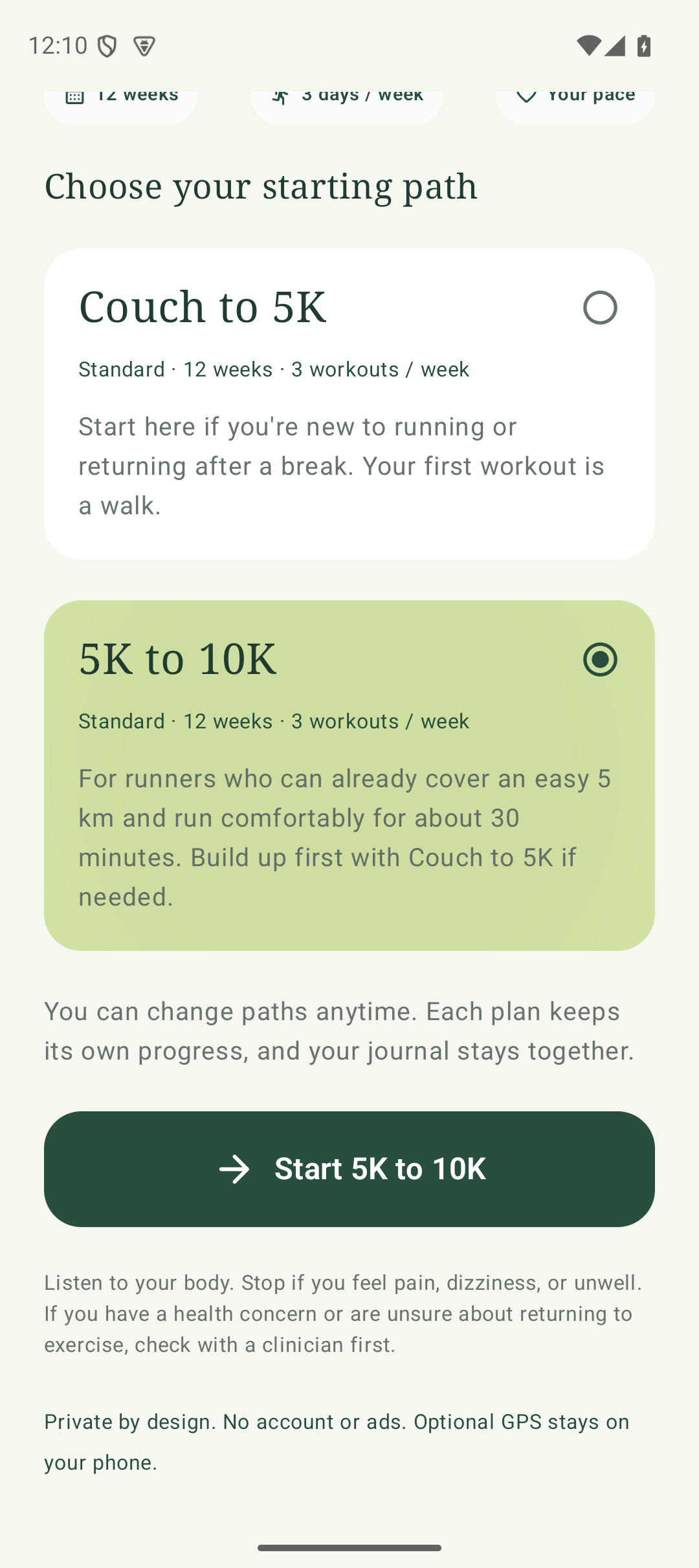
Getting back into exercise should feel manageable. Choose Couch to 5K to start with a walk and gradually build toward your first 5K. Already comfortable with an easy 5 km? Choose 5K to 10K for your next 12-week chapter. Open the app, see what’s next, and tap the big start button. Your coach takes care of the timing.
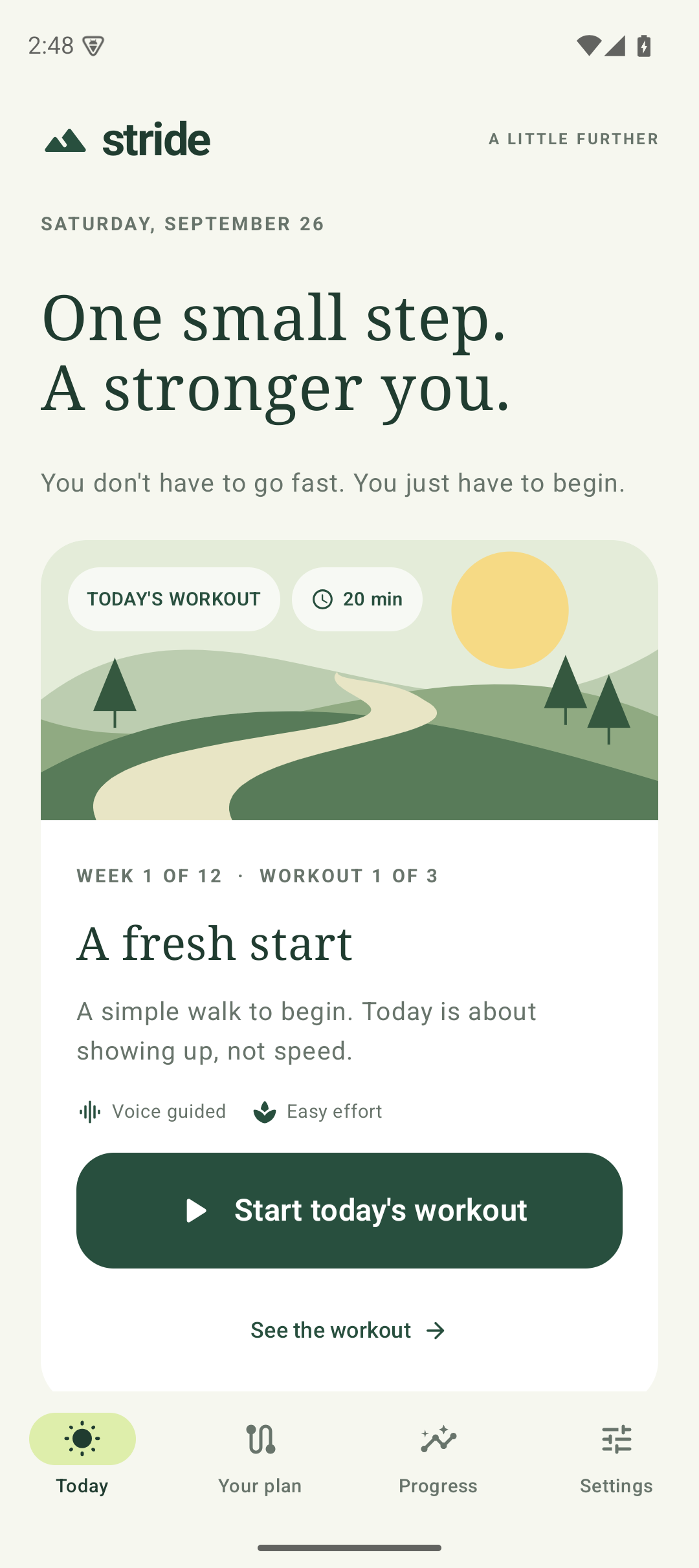
Your next step. Your path ahead. Your time to move.
A plan that makes room for life
- Choose your path. Couch to 5K starts gently with walk/jog intervals. 5K to 10K builds endurance with easy runs, longer outings, and lighter weeks. Both include walking warm-ups and cool-downs.
- Keep your place. Open Your plan → Change plan anytime between workouts. Each path saves its progress; inactive plans do not count missed days.
- Recover between workouts. Rest days are part of the plan. If you choose to move ahead, you can start the next workout early.
- Come back without guilt. Miss a day and the same workout waits for you, with encouragement. After five consecutive missed workout-due days, Stride steps back one workout to ease you back in.
- Keep a gentle reminder. Choose a daily reminder time for that day’s workout or recovery.
Twelve weeks is a guide, not a deadline. Take walk breaks and extra recovery whenever you need them.
A reason to return, even on rest days
Your daily mission follows your training day. Complete a workout when it is due, or take a short recovery check-in on a rest day. Full rest counts; you do not need to add exercise to earn credit.
- Build a weekly rhythm. Five days in a Monday–Sunday week grow your consistency streak. Your total days invested keep adding up.
- Collect small wins. Eight badges celebrate your first workout, recovery, planning ahead, and coming back. Earned badges stay yours when a streak ends.
- Make room for tomorrow. Choose an optional time for your next workout, or deliberately move today’s workout to tomorrow when you need more time.
- Take a real break. Pause training and reminders, then resume with your progress intact. Resetting all progress also clears your badge collection.
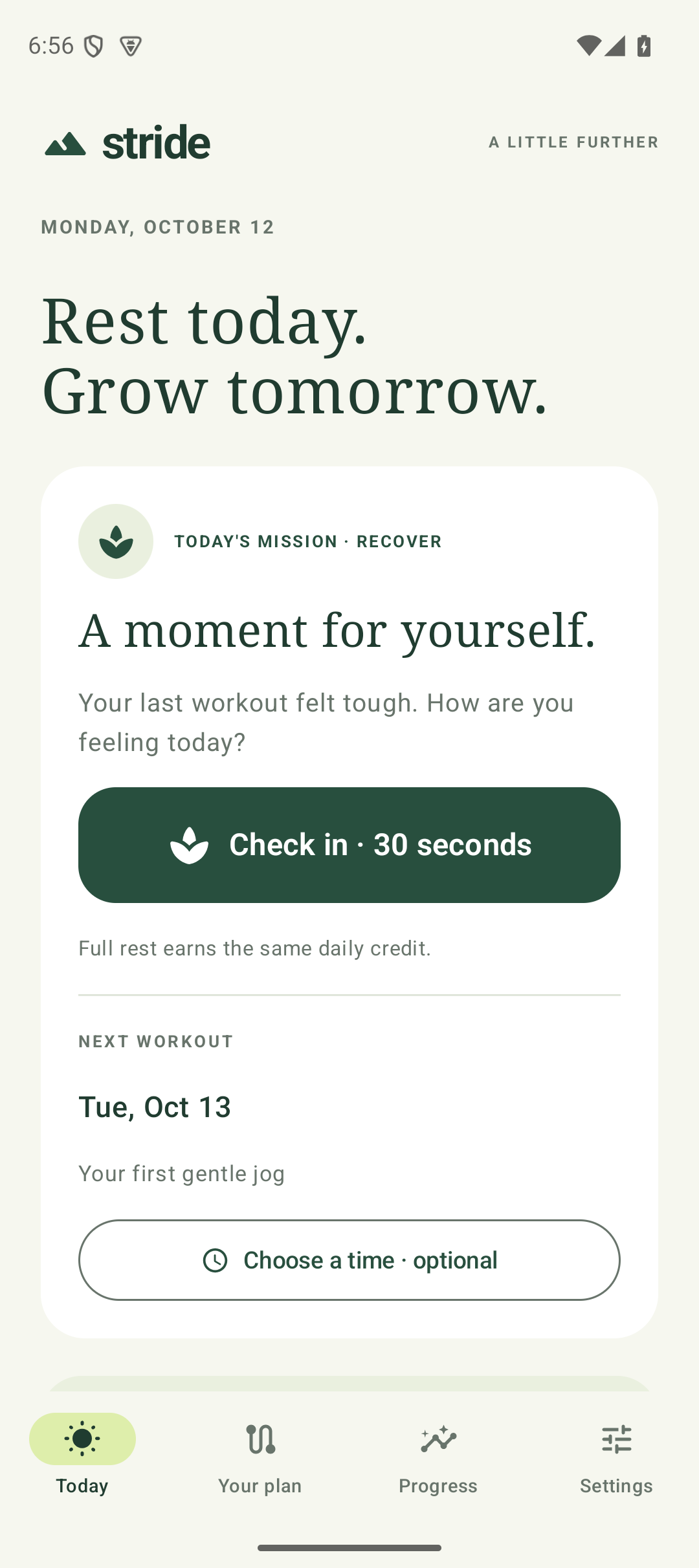
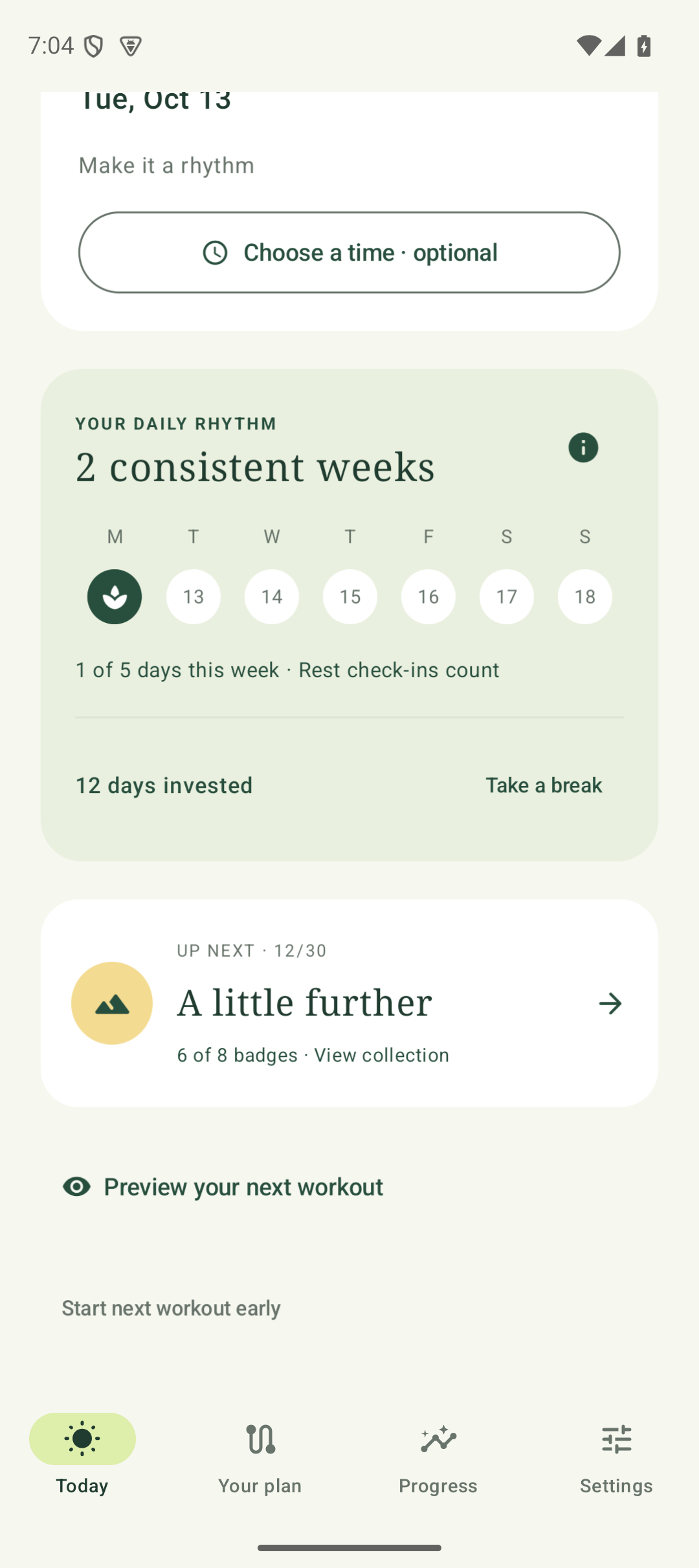
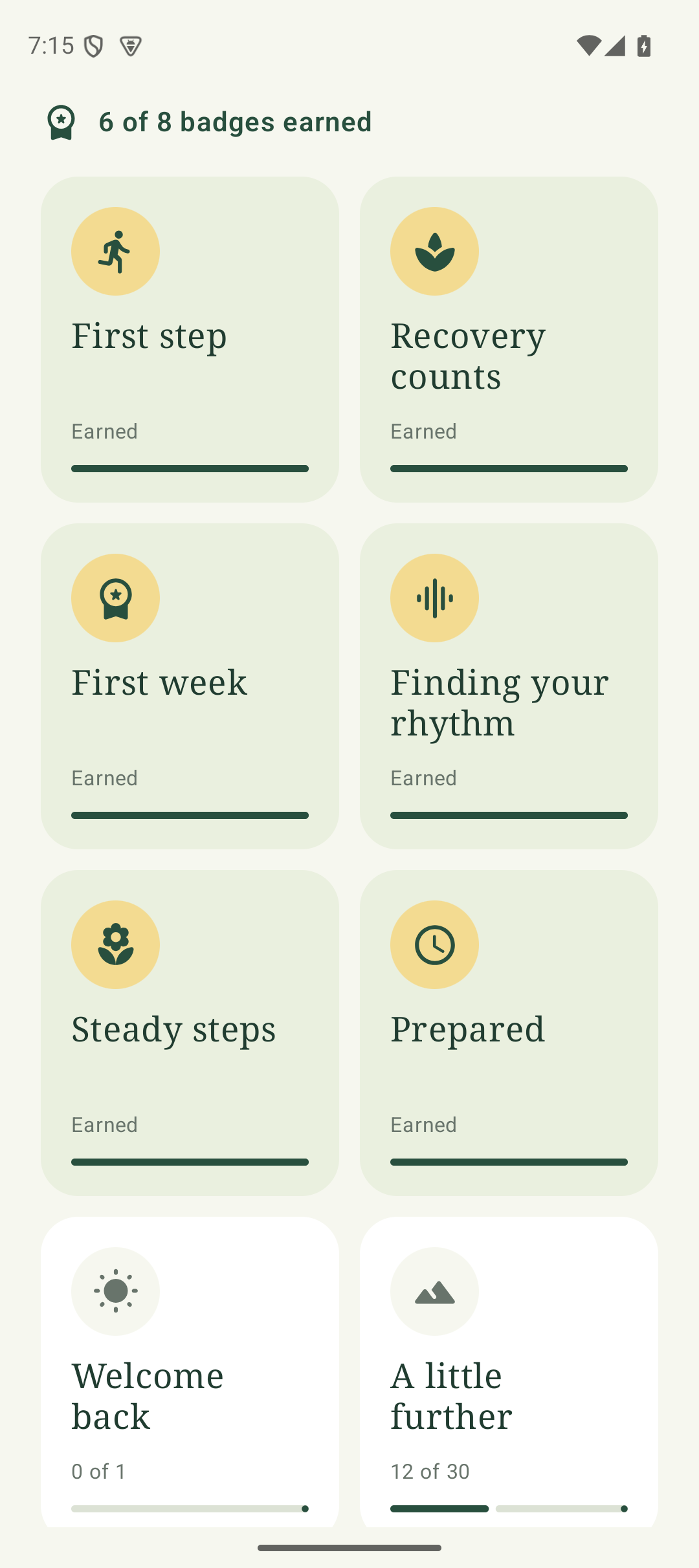
Rest counts. Small wins add up. Your pace is enough.
Keep your book. Let Stride do the coaching.
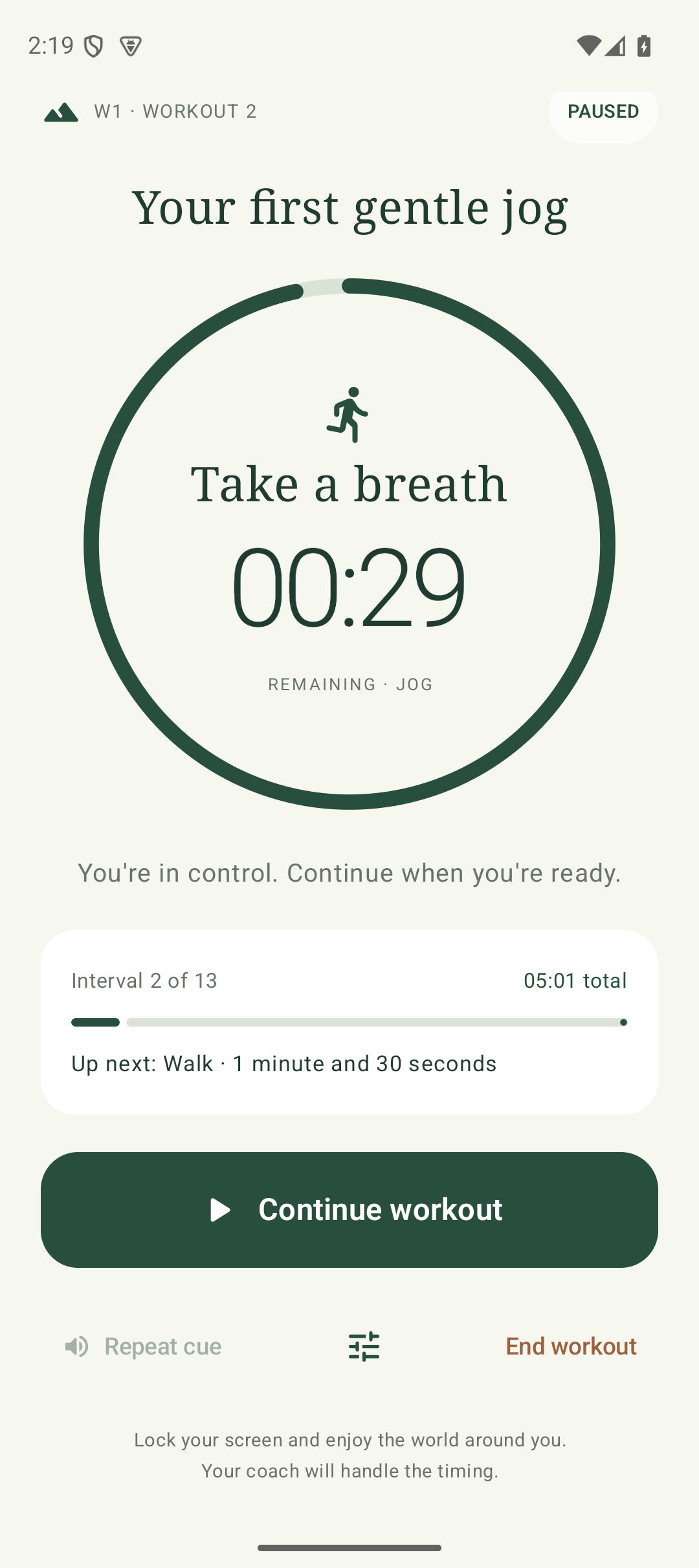
Spoken cues tell you when to walk, jog, or run, and how long each interval lasts. The workout keeps going while your screen is locked or another app is open.
Stride briefly requests a pause from your audiobook or podcast for each cue, then releases it so listening can resume. Playback depends on your audio app supporting Android audio focus. Adjust callout volume in Stride and choose your voice in Android’s speech settings.
Pause or continue from the workout screen, notification, or optional Quick Settings tile. Your headphone playback button controls your listening; it doesn’t pause your workout.
See how far you’ve come
One journal keeps workouts from every path, labeled by plan. Filter it by plan or see everything together. Total effort spans both plans; milestones follow your current path. Turn on optional outdoor GPS to record your route, distance, and pace, then explore your workout on a street map afterward.
Export individual activities as GPX or TCX, or save a full backup to carry all your plans and progress to another phone. There are no connected fitness accounts or automatic cross-device syncing.
Get started
- Download Stride.apk on your Android phone. No GitHub sign-in is needed.
- Open the file. If Android asks, allow installation from your browser or Files, then tap Install.
- Open Stride, choose your plan, allow notifications, choose your reminder time, and test the coach’s voice in Settings.
- Start your first workout. Enable Record outdoor GPS in Settings if you’d like a route with it.
Already have Stride? Install the newer APK over the existing app. Don’t uninstall first. In Settings → Updates, allow Stride to install updates once. It can then check for new versions while open, download them on Wi-Fi, and install when no workout is active. A countdown lets you postpone for the day. Android may ask for confirmation. This page remains available for manual downloads.
Keep your features ready
Android can remove permissions when an app has not been used for a while. Stride checks the features you have enabled when you open it. If reminders, outdoor GPS, or automatic updates need access, a short checklist helps you restore it.
Open the relevant Android settings from each item, then use Android Back to return. Your checklist stays open, and restored items turn green. Choose Not now when you need to move on, or open Settings → Review app permissions anytime between workouts.
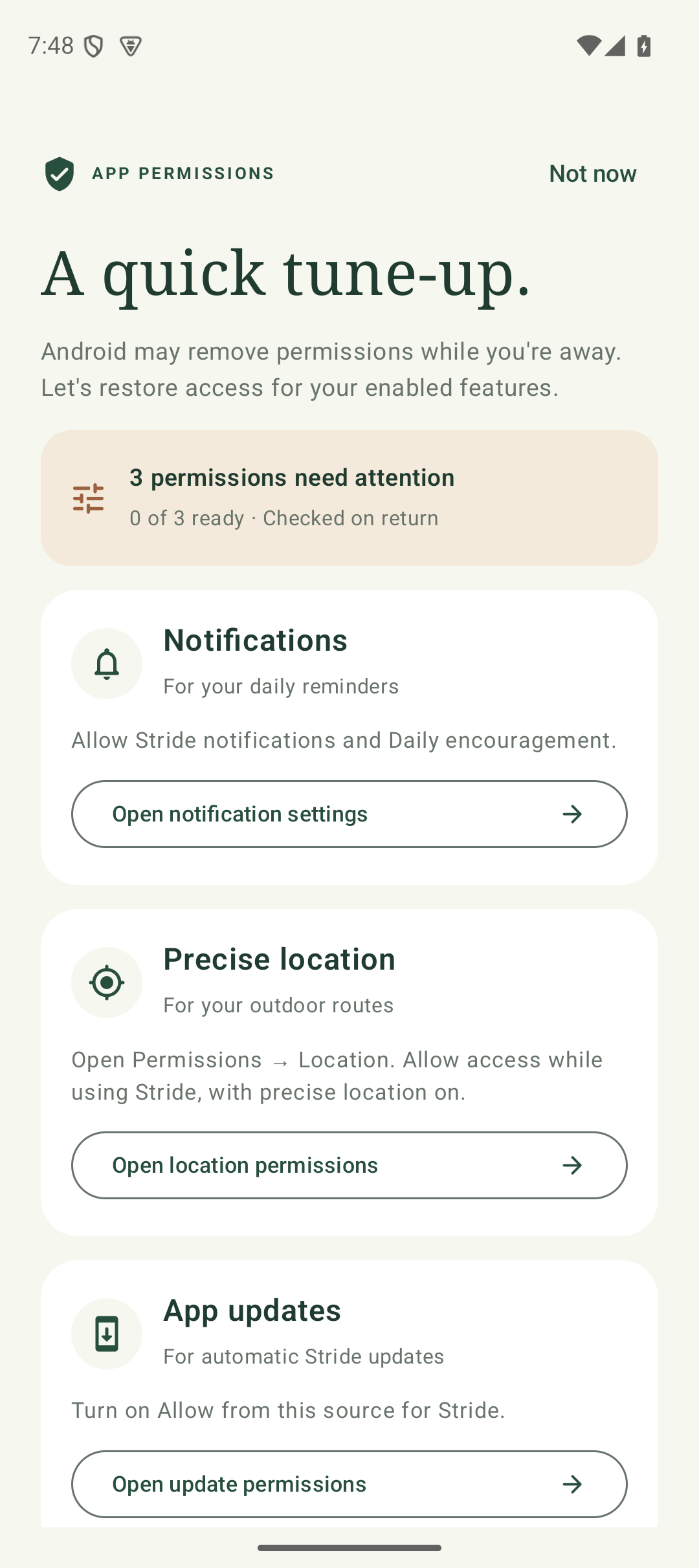
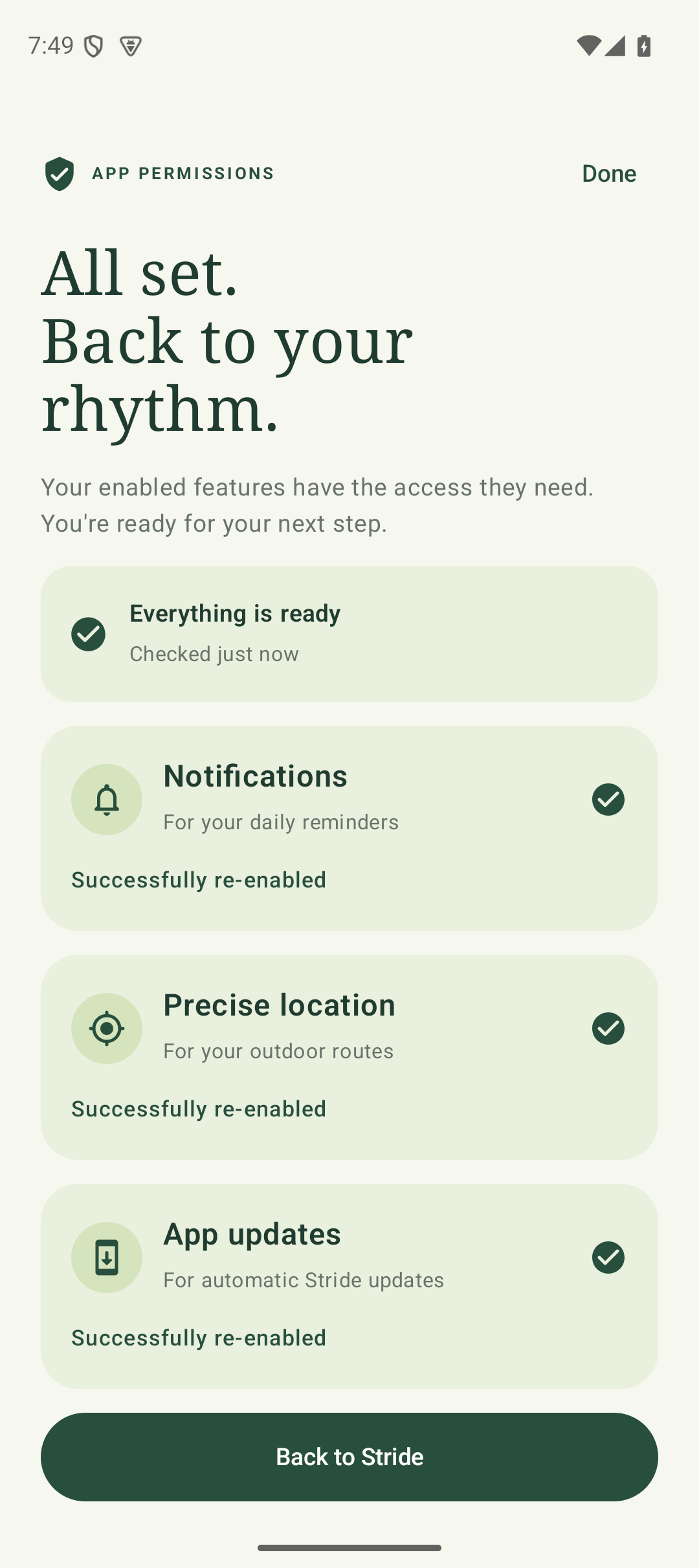
Your progress stays yours
Stride has no account, ads, analytics, or workout server. Your workout records stay on your device unless you export them. Update checks and downloads connect to GitHub without sending workout data. Street maps load online when viewed; the map provider receives your IP address and the map areas requested. Coaching can work offline with a downloaded Android voice.
Before replacing your phone, use Settings → Save full backup and copy that file somewhere safe off the phone. On the new phone, install Stride and choose Restore from backup. Downloading the app alone doesn’t restore your history, and there is no automatic cloud backup.